


August 5, 2026, 11:14 am | Read time: 4 minutes
Regular renovations not only maintain a property’s value but often create an entirely new living experience. However, those without a keen sense for color schemes, material combinations, and optimal room effects can quickly reach their limits during remodeling or modernization projects. These clever apps are mobile helpers for furnishing and renovation.
No matter if you’re unsure which colors will actually look good on the walls, where the sofa should ideally be placed, or what materials and costs to plan for a remodel: The following apps are perfect for keeping a cool head during renovations.
Apps for Perfect Planning of Furnishings
Trello
The larger the project, the more important good management becomes. With the app “Trello,” which is based on the clear Kanban principle, all to-dos can be precisely planned. Checklists and appointments can be created, and tasks can be assigned to different areas. It’s advisable to open several boards with the respective task areas, such as “Procure Materials,” “Organize Equipment,” and “Final Cleaning.” In each board, photos or notes can be added as cards, scheduled, and freely moved around. The app helps individuals or teams keep track of all tasks.
- Cost: free, paid Pro version available
- App Stores: Apple and Android
My Renovation Construction & DIY
Whether it’s cost monitoring, shopping lists, or construction management: The tool “My Renovation” is the perfect mobile assistant for all DIY enthusiasts. It automatically generates work plans for renovations or home construction and sorts the work steps in the correct order. The dashboard is clear and supports construction project management and site supervision.
- Cost: free
- App Stores: Apple and Android
Bosch DIY
Keeping track of all your materials and tools can sometimes be difficult. The “Bosch DIY” app provides relief and acts as a digital workbench for brand-specific devices that can be managed. Project ideas with step-by-step instructions, as well as material, equipment, and cost lists, are the highlights of the app, making it the perfect idea generator for hobby DIYers.
- Cost: free
- App Stores: Apple and Android
Apple Measure
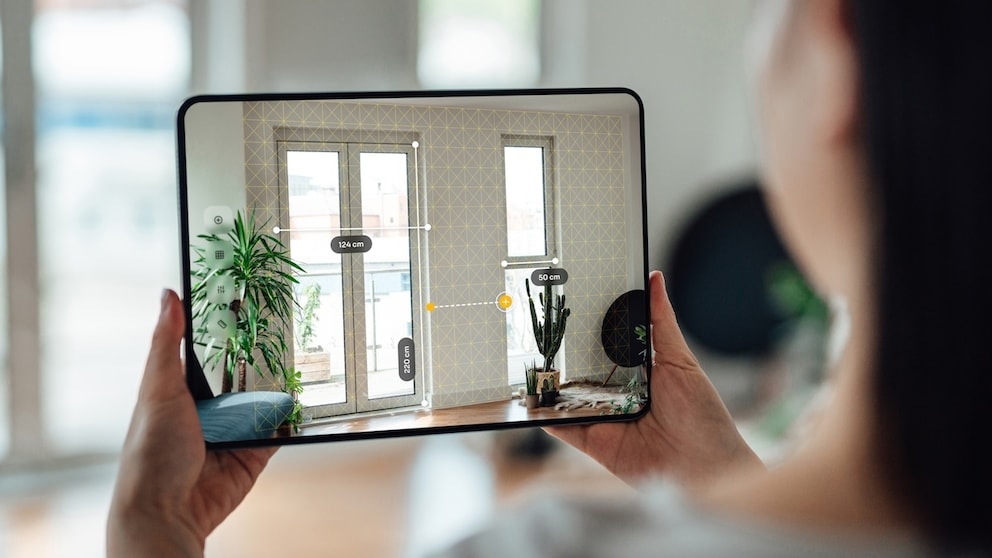
Certain renovation tasks require precision and an overview of the actual size of rooms and furniture. If you don’t have a tape measure on hand, you can grab your iPhone or iPad. On modern models, the “Measure” utility is pre-installed, allowing you to measure heights, areas, and lengths. The app uses augmented reality and is the perfect solution for measuring the size of furniture, walls, or windows and doors.
- Cost: free
- App Stores: Apple and Android
Planner 5D
From room planning to furnishing simulation: “Planner 5D” is an all-in-one software that allows you to comprehensively plan spaces. In addition to 2D and 3D floor plans, which can be easily scanned with the phone camera depending on the device, the app offers a large furniture and material library to visualize the furnishings. Thanks to the “Smart Wizard” feature, rooms can be generated automatically. It’s even possible to simulate lighting conditions to get the most accurate representation of the final result.
- Cost: basic version free, premium model available
- App Stores: Apple and Android
Apps for Perfect Color Schemes in Furnishing
Caparol Spectrum
With the “SPECTRUM_mobile” app from Caparol, a brand for building paints, wall colors can be easily visualized photorealistically. Numerous sample images provide inspiration, and you can upload your own photos and videos to color your walls with Caparol colors at the touch of a button. A wide selection of shades and color palettes is available for this purpose.
- Cost: free, Pro version available
- App Stores: Apple and Android
Dulux Visualizer
Testing how different colors work in rooms is easy with the “Dulux Visualizer” from the paint provider Dulux. The app is based on augmented reality, and the highlight is the live function, which allows you to test colors in real-time in rooms. For this, the camera function is activated, and the phone is held over the area to be color visualized. Preferred color combinations can be saved as photos or videos, and favorite shades can be ordered directly in the app.
- Cost: free
- App Stores: Apple and Android