


March 7, 2026, 5:17 am | Read time: 3 minutes
If you’ve accidentally started the wrong dishwasher program, you’ll want to stop it as quickly as possible. But how does that work? Modern dishwashers offer several ways to do this.
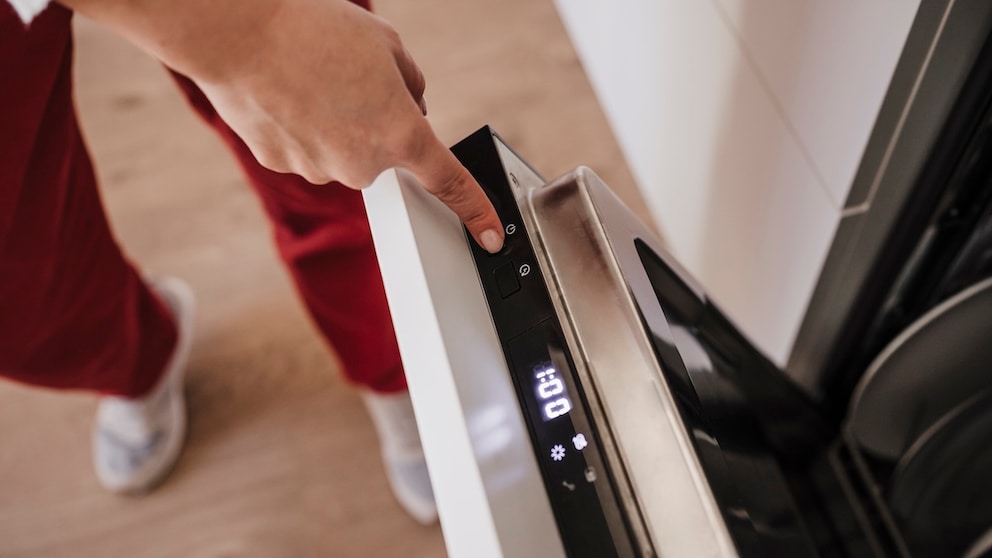
For most dishwashers, the way to stop a program is through the control panel. If it’s accessible from the outside, the program can be easily canceled. For devices with a control panel built into the door, the door should be opened slowly during operation to prevent water from spilling out the sides.
Reset via Start Button
The most common method to cancel a dishwasher program is a reset using the start button. For most Bosch, Siemens, and Neff devices, simply hold the start button for about three to four seconds. The device usually signals success with blinking or beeping. Afterward, the machine automatically drains the water.
Depending on the manufacturer, it may be necessary to press the start button along with another switch for three to five seconds. Instructions can be found in the user manual. Such a reset resets the machine. However, an immediate change of the washing program is often not possible afterward. Sometimes the machine must be turned off and back on before the correct program can be selected.
Canceling Programs on Miele Dishwashers
As explained by Miele support, canceling a program with this manufacturer works a bit differently. Here, the device must first be turned off and back on. Then the desired program is selected. Only by pressing the start button afterward does the machine drain the existing water.
Alternative Methods to Cancel Programs
If the reset via the start button—or a button combination—doesn’t work or the device apparently doesn’t offer this option, the only solution is to completely disconnect from the power supply. The quickest way is through the fuse box, provided the dishwasher has its own fuse. Otherwise, the power plug must be pulled. Before turning it back on, it’s advisable to wait five minutes to allow all components to fully discharge.
Siemens and Bosch Unveil Innovations at IFA 2025
Bosch Twinguard in Review: What Can the Smart Smoke Detector Do?
Cancel via App
If you have a dishwasher with smart home connectivity, you can also stop and change the running program via an app. The “Home Connect App” from Bosch, Siemens, Neff, and other brands allows remote control of the dishwasher via smartphone. However, a Wi-Fi connection and a compatible device with a Home Connect interface are required. Apps from other manufacturers typically offer a similar function.
Can’t Stop the Program?
Disconnecting the power supply always works. If the machine doesn’t seem to respond to the steps described in the user manual, it’s worth checking if the child lock is active. Many household appliances today have such a feature to prevent children from activating functions or opening device doors. An active child lock doesn’t differentiate between children and adults—it rejects all inputs until it’s deactivated again. In case of doubt, always check if this lock is turned on.